Scanned by

Norton

Norton™ Safe Web

Download Twitter Videos and Photos

Download Twitter media smoothly and efficiently with SaveFrom's top-tier service. It's the best Twitter video downloader available.

Use our free Twitter video downloader for fast video and image downloads. Save your favorite Twitter content directly to your device!

INSTALL APPS


How to Download Twitter Videos with the 'loadfrom.net Helper' Extension?

Want to download Twitter videos directly? Easily download Twitter videos by adding the loadfrom.net Helper extension to popular browsers like Chrome, Firefox, and Safari.

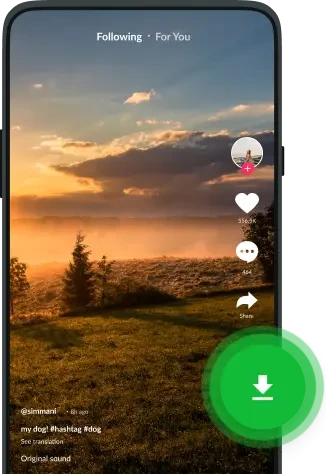
Once installed, a handy green 'Download' button appears next to each Twitter video. Just click it, select your preferred format, and your video will download seamlessly!

Download Twitter Videos Directly by Adding sfrom.net/

Follow these simple steps to download Twitter videos:

  1. Open the Twitter video you want to save.
  2. Add 'sfrom.net/' or 'loadfrom.net/' to the beginning of the video's URL, e.g., sfrom.net/https://twitter.com/... Then choose your format and start the download.
  3. Wait for the download to finish.

Android users, download our dedicated app here!

How to Use the loadfrom.net Twitter Video Downloader

Our versatile Twitter video downloader also works seamlessly on the loadfrom.net website. Download images, GIFs, and other media with these easy steps:

Copy link icon

1. Copy the Twitter Video URL

Open the Twitter video in a new tab. Copy the full link from your browser’s address bar using CTRL+C or CMD+C.

Paste link icon

2. Paste the URL into the Downloader

Go to loadfrom.net. Paste the copied URL into the input field; the process starts automatically.

Download icon

3. Choose Your Download

Select your preferred quality from the options and start downloading.

Download Twitter Videos on Android with the loadfrom.net App

Android users can download our app for a simplified Twitter video experience.

Download Twitter Videos on Android with the loadfrom.net App
  • Easily download Twitter videos and GIFs in one tap.
  • Watch offline anytime.
  • Build your own media library.
  • Organize your files easily.
  • Listen to your favorite music on the go.
  • Share videos on WhatsApp, Instagram, and more.
Download APK

Twitter Video Downloader FAQs

Our Twitter video downloader helps you save videos, GIFs, and photos to any device. Install our browser extension to download Twitter videos directly, add sfrom.net or loadfrom.net before the media URL, or paste the Twitter media URL on loadfrom.net to start the download. Our Android app makes downloading even simpler.

Just add sfrom.net/ or loadfrom.net/ before the video URL. You can also use loadfrom.net to download twitter videos directly to your device.

Install the loadfrom.net helper extension for direct downloads. Paste the video URL into loadfrom.net. Add sfrom.net or loadfrom.net before the video URL in your address bar.

MP4 is widely compatible, offers good quality with smaller file sizes, and doesn't use royalty-based codecs,. WebM is another good option that's becoming increasingly popular.

Usually, they're saved in your browser's Downloads folder. Check your browser's download history if you can't find them.

Download our Android app to easily download videos from Twitter. Get it HERE.

Be mindful of copyright restrictions. For journalistic purposes, using short parts of copyrighted videos might be permissible, but always check with current copyright laws.

loadfrom.net has no download limits. Download as many videos as you need.

Yes, loadfrom.net is a free Twitter video downloader. Enjoy unlimited downloads without any subscriptions.

Yes! loadfrom.net works with many sites, including Facebook, Instagram, YouTube, and Vimeo.